Products and inventory
Your catalog is what buyers browse and order. This guide covers adding a product, setting it up well, and keeping stock accurate.
Add a product
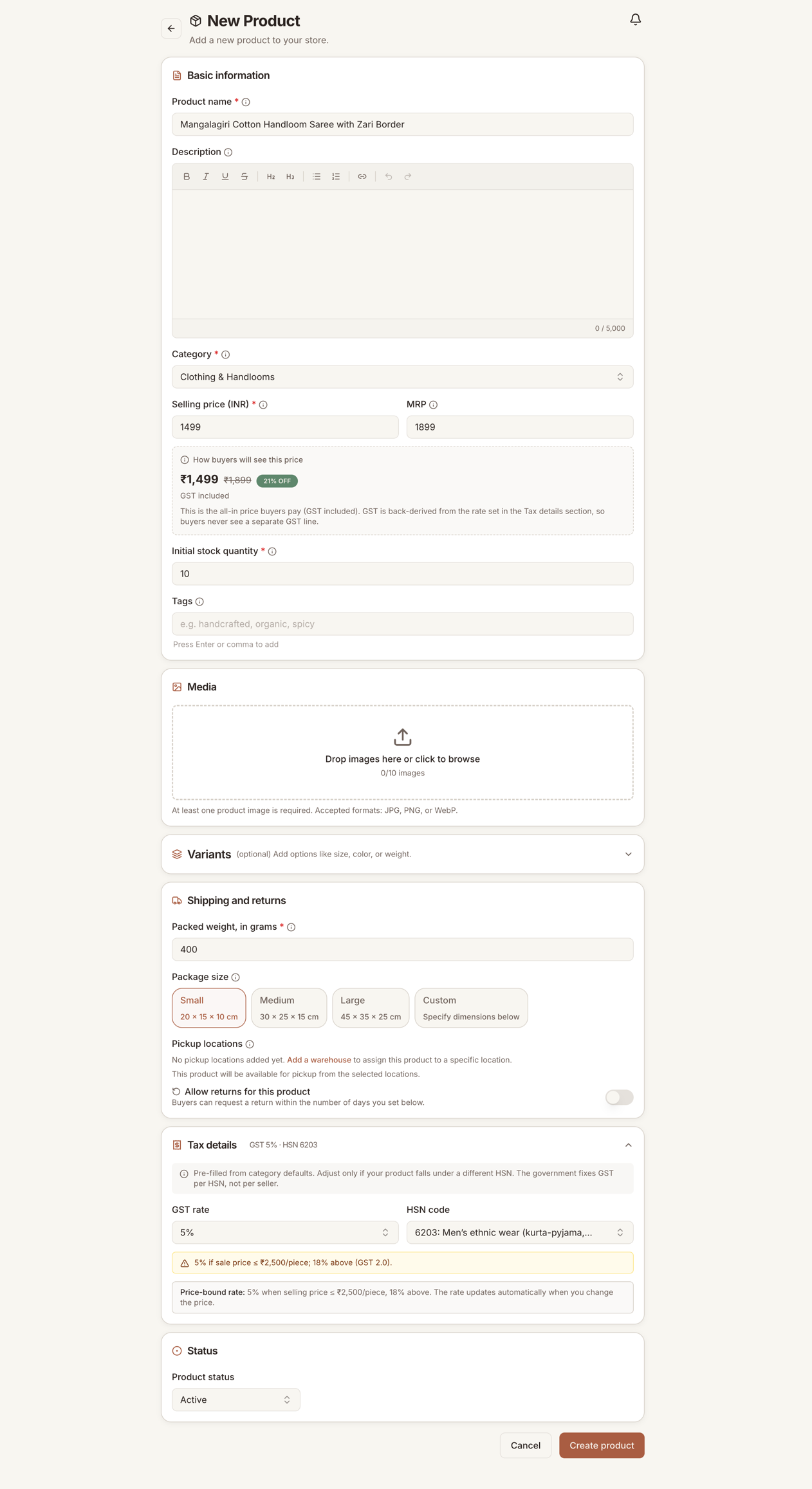
Open the Products page and choose to add a product. You can do this even before your store is live, so your catalog is ready on day one.
A product needs:
- Title. Clear and specific. "Handwoven cotton table runner" beats "Table runner".
- Photos. The first photo is the one buyers see on listing cards, so make it your best. Show the product on a plain background, and add a few more that show scale, detail, and how it looks in use.
- Description. What it is, what it is made of, its size or weight, and how to care for it. Buyers cannot pick it up, so the description does that job for you.
- Category. Pick the closest match so buyers can find your product and the right product requirements are applied. The platform commission is a flat 5% for every category. See fees.
- Price. What the buyer pays. Prices include GST, so the amount you enter is the amount shown on the product page.
Write a description that sells
Buyers are trusting a photo and your words. Cover the things they would ask if you were standing in front of them:
- What it is made of and how it is made.
- Exact size, weight, or capacity. "Fits a 2-seater" is better than "medium".
- Care: hand wash, wipe clean, store away from sunlight, shelf life.
- Anything handmade that varies between pieces, so the buyer is not surprised.
Honest, specific descriptions get fewer returns and better reviews.
Photos
- Use natural light and a plain background for the main shot.
- Show scale. A product next to a hand or a common object reads instantly.
- Add detail shots for texture, stitching, or finish.
- Keep the framing consistent across your catalog so your store looks tidy.
Weight and packaging
Enter the product's weight and rough packed size. Delivery is charged by weight and distance, so this is what the buyer's shipping cost is calculated from. If the weight is wrong, the shipping quote is wrong, and that eats into your earnings or overcharges the buyer. Weigh the product packed, the way you would hand it to the courier.
Variants
If a product comes in more than one option, add variants instead of listing it several times. Variants can be:
- Multi-attribute, for example size and color together. Small or large, red or blue.
- Custom, for options that do not fit a standard attribute, like a choice of fragrance or a name to engrave.
Each variant can have its own price and its own stock count. When you pick a category, we suggest the attributes that usually apply, but you are free to add your own.
Pricing
- The price you set is what the buyer pays, GST included.
- There is a minimum order value of ₹99. This is per order, not per product, so a buyer can combine cheaper items to reach it.
- Commission is taken from the sale, not added on top. Online orders also carry the payment provider's actual processing charge. Set your price so your margin holds after both deductions. The math is in fees.
Manage stock
The Inventory page is where you keep stock counts current. Accurate stock matters: if a buyer orders something you cannot make in time, you have to cancel, and cancellations hurt your store.
- Update the count for each product or variant as you make or sell.
- When a count drops to the low-stock level (5 by default), it shows up in your dashboard alerts so you can restock or pause it before it sells out.
- If something is unavailable for a while, set its stock to zero rather than deleting it. That keeps its reviews and history for when you bring it back.
Editing and pausing products
You can edit a product any time from the Products page. Changes show to buyers once your store is live. To take something off sale without losing it, set its stock to zero. To retire it for good, delete it, but remember that also removes its reviews and history.
When products go live to buyers
Products are only visible to buyers when your store is active. Before you are approved, your catalog is private, though you can preview how it will look. A few categories may be marked as not yet open to new sellers. If you cannot select a category, that is why, and it will open later.
Next
Once orders start coming in, see orders and shipping.